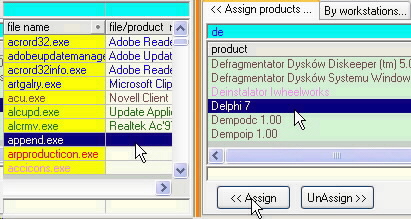
Splitted windows - comfortable access to Master-Detail-Subdetail datagrids.
Datagrids /datasheets-more data in one place, very easy to compare by rows and sort by columns
Alphabetical sorting, sorting in columns clicking the header of a column sorts records according to values in particular columns (ascending or descending)...
You can "catch" the header with the mouse and "move" a selected column to any place in the grid, for example placing the file names next to the assigned applications.
Displaying Filters- (on the screen: blue) The filters of views allow to manage the information on the screen more efficiently. They limit the working field to the most necessary information, thus making it clearer.
Alphabetical dictionaries ...A B C ranges...
..just choose the page!
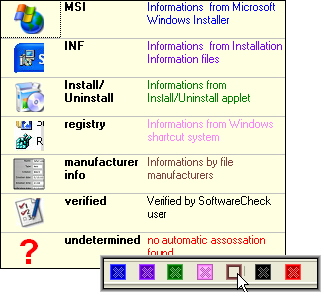
Colors-
- colors are excellent for displaying more information on simple datagrid.
here: different identification modes.
Maintaining built-in filters - the alternate way to filter and show data.
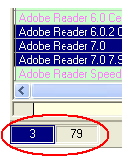
Quick record counters - visible above all main datagrids.
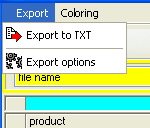
Datasheet export - each prime grid can be exported to a formatted TXT file. This is a standard text file witch particular "record fields" separated by a tabulator character and witch particular "records" put in separate lines. You can export filtered, sorted data from the grid.
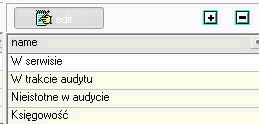
Datagrids edit - if needed - you can enter data directly into the special datagrid.
Assigning intergrid data - just select choosen rows and press button Assign/Unassign






 other questions ...
![[Rozmiar: 87034 bajtów]](1_basic.png)
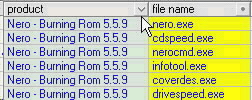 You can "catch" the header with the mouse and "move" a selected column to any place in the grid, for example placing the file names next to the assigned applications.
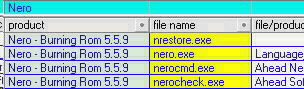
 ..just choose the page!
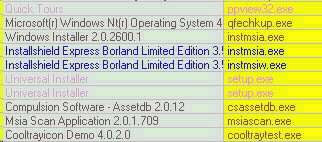 here: different identification modes.